
Flipboard:Your Social Magazine
FlipboardNews & Magazines
3.4134.98K Reviews
- Version
- 4.3.61
- Installs
- 500.00M
- Age Rating
- Everyone 10+
Screenshots
Our Review of Flipboard:Your Social Magazine
 Analysis by Appyee
When I want a broad view of what people are reading without opening a row of separate news sites, I reach for Flipboard: Your Social Magazine. It brings different sources into a magazine-like feed, and that format can make casual browsing feel more inviting than a plain list of headlines. It is not a replacement for every news habit, though: its value depends on how much you enjoy discovering stories and shaping a reading mix of your own.
Using Flipboard as a Daily Reading Habit
I find Flipboard works best when I give it a small, repeatable place in my day instead of treating it as an endless feed. In this section, I’ll look at how a short check-in can turn casual browsing into a more intentional reading habit, while keeping room to notice stories outside my usual interests.
What the free price means in practice
Flipboard is a free news and magazines app from Flipboard, so trying it does not require an upfront purchase. That is a useful starting point if you are curious about a personalized reading feed but do not want to commit money before seeing whether the format suits you. Free access is the clear value I can point to; I would not treat that alone as proof that it replaces a paid news subscription or every publisher’s own app.
The app is rated for Everyone 10+, and it has an average rating of 3.4 from around 1.4 million ratings. Those figures give a sense of its broad reach, but they do not tell me whether the feed will match your interests or whether its browsing style will click for you. I would make that decision by testing your own topic selections and reading routine rather than relying on popularity alone.
Getting Started
First things first, setting up Flipboard is a breeze. Once you download the app, it prompts you to select topics you’re interested in—everything from tech to travel. You can even link your social media accounts to pull in content directly from your feeds. It’s like having your very own customized newsstand in your pocket!
The User Interface
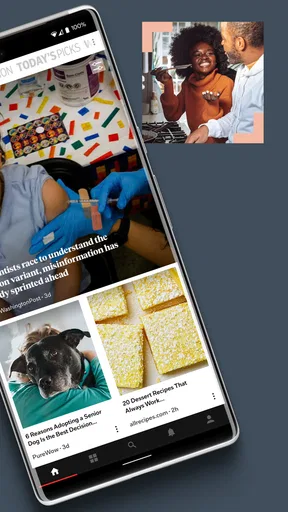
The app's design is sleek and intuitive. Navigating through different sections feels like flipping through a real magazine. You swipe up to browse, tap on articles to read, and swipe left to explore more topics. It’s all very tactile and satisfying. The interface is clean, making it easy to find what you’re looking for without getting lost in a sea of content.
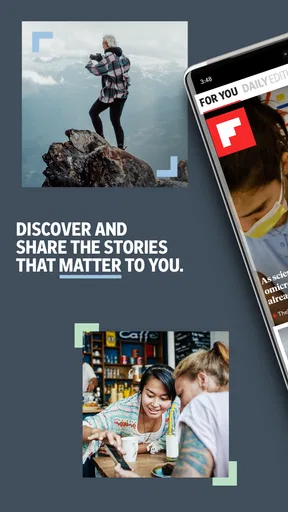
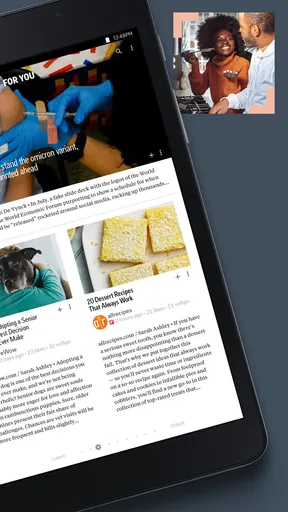
One feature I particularly love is the "For You" section. It curates a mix of stories based on your interests and reading habits. The more you use the app, the better it gets at recommending stories you’ll actually want to read. It’s like it knows you better than you know yourself!
Content Galore
Whether you’re a news junkie, a sports fanatic, or a lifestyle enthusiast, Flipboard has got you covered. You can follow major publications like The New York Times and National Geographic, or discover niche blogs and independent writers. The variety is endless, and the app does a fantastic job of bringing together high-quality content from across the web.
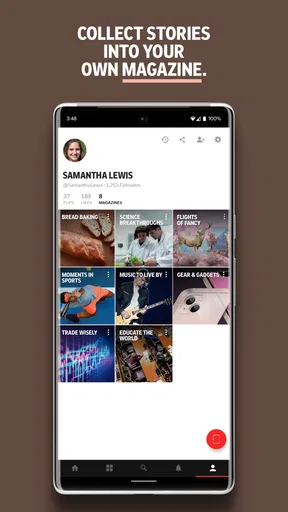
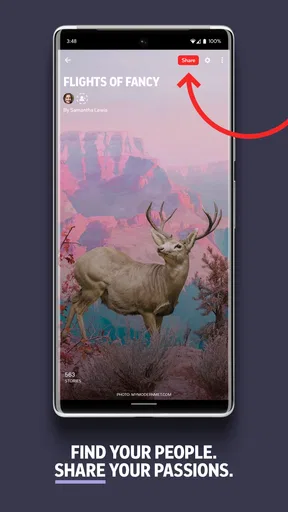
If you're someone who enjoys deep dives into topics, the "Magazines" feature is a game-changer. It allows you to create and curate your collections of articles. You can even share these "Magazines" with friends, which is a neat way to exchange ideas and interests.
A practical way to shape your feed
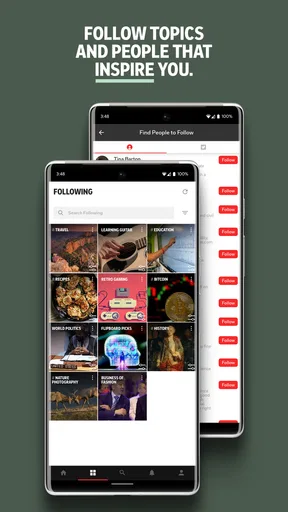
The most useful way I’ve found to get more out of a broad reading app is to treat topic choices as a starting point, not a permanent profile. If the main feed starts leaning too heavily toward one subject, I would spend a little time exploring other topics and following specific sources that bring a different perspective. That gives the feed clearer signals than simply scrolling past stories I do not want.
There is also a trade-off in personalization: recommendations can make it easier to spot relevant pieces, but a feed built around familiar interests can narrow what catches your eye. I like to keep a few deliberately different subjects in the mix. For example, pairing a work-related topic with culture or travel gives me a reason to browse beyond my usual headlines without turning the app into an unfiltered stream.
For a focused reading session, I would use the magazine collections as a deliberate shelf rather than saving everything that looks mildly interesting. A collection organized around a project, a destination, or a topic makes it easier to return to related articles later and gives sharing a clearer purpose. The practical limit is that a collection only helps if I keep it selective; a large pile of loosely related links can become as hard to browse as a cluttered feed.
Social Integration
One of the standout features of Flipboard is its social integration. By connecting your Facebook, Twitter, and other social accounts, you get a seamless blend of personal and public content. It’s a refreshing way to keep up with what your friends are sharing while also getting a dose of global news.
And let’s not forget the commenting and sharing options. You can easily engage in discussions or share articles with your network, making it a truly interactive experience.
I would connect social accounts only if seeing those feeds alongside articles is genuinely useful to me. That blend can bring personal recommendations into the same place as broader coverage, but it can also make a reading session feel less focused. Someone who wants news separated from social conversations may be happier following publications and topics without adding personal feeds.
Where it fits beside other news apps
Compared with opening publisher apps one by one, Flipboard is better suited to browsing across sources in one place. That makes it handy when I am exploring a subject and do not yet know which publication will have the most useful angle. A publisher’s own app may be the better choice when I want a direct relationship with one outlet, a familiar presentation, or a tightly focused selection from that source.
It also differs from a straightforward headline aggregator. The magazine-style gestures encourage browsing and discovery, so I find it more appealing for a few unhurried minutes than for checking one urgent update and leaving. If speed and a compact list of breaking headlines are my main priorities, a more conventional news reader may feel more efficient. Flipboard’s presentation is part of its appeal, but it also adds a layer between me and the source.
Performance and Usability
The app runs smoothly on both Android and iOS, with quick loading times and minimal lag. Even with its rich graphics and media, Flipboard manages to keep things zippy. Battery consumption is also pretty reasonable, so you won’t find your phone dying after a morning of catching up on the news.
For someone who’s always on the go, the offline reading feature is a lifesaver. You can save articles to read later without needing an internet connection. Perfect for those long commutes or flights!
A realistic routine might be to browse a few topics over breakfast, save a longer article that I cannot read then, and return to it during a commute when I know I may not have a connection. I would save selectively before leaving rather than assume every item in the feed will be available offline. That small habit makes the reading queue more useful and avoids turning “read later” into an endless backlog.
One question people often have is whether the app is only useful for people who already follow lots of publications. I do not think so: choosing broad interests gives a new user a place to begin, while following particular sources can make the selection feel more intentional over time. The better question is whether you enjoy a mixed feed. If you prefer to choose every article yourself, the discovery layer may feel like extra work rather than help.
Another practical consideration is how you want to read full stories. A magazine-style app is a convenient doorway to coverage from different places, but the reading experience can vary with the source. When a story matters to me, I pay attention to who published it and follow through to the original context rather than treating every item in a personalized feed as interchangeable. That is a sensible habit in any news reader, especially one designed to bring many voices together.
Who gets the most value
I would recommend giving it a try if you like browsing across subjects, discovering publications, or collecting stories around an interest. It can suit someone who wants one familiar place to dip into different kinds of reading, and the free price makes that experiment straightforward. Its audience is substantial, with over 500 million installs, but that reach should not be mistaken for a guarantee that its personalized approach is right for every reader.
I would skip it, or use it only as a secondary reader, if I needed a tightly controlled professional news workflow, wanted updates from one publication above all else, or found swipe-based browsing distracting. It is also not my first choice when I want to avoid recommendations and social content altogether. In those cases, a direct publisher app, a plain RSS-style reader, or a carefully chosen set of bookmarks may better match the way I prefer to keep up.
Final Thoughts
In a world overflowing with information, Flipboard: Your Social Magazine stands out by offering a personalized, streamlined reading experience. Whether you’re looking to stay updated on current events or just want to discover something new, this app is a fantastic tool to have in your digital arsenal. So, if you haven’t already, give it a whirl—you might just find your new favorite way to consume content.
My verdict is a qualified yes: I would try it as a free, flexible discovery tool, especially if I enjoy moving between topics and saving a few worthwhile reads. The version identified as 4.3.41 requires Android 7.0 or later, so compatibility is worth checking before installing on an older device. I would keep expectations grounded, though: the app’s strongest case is the convenience of a customizable magazine-like feed, not a promise that it will replace a dedicated source or suit every style of news reading.
How Flipboard:Your Social Magazine Compares
Full ComparisonGoogle News suits readers who want a broad personalized feed, Flipboard suits people who enjoy curated magazine-style reading, and Dainik Bhaskar is the clearest fit for Hindi news from across India.
| App | Developer | Rating | Price |
|---|---|---|---|
 Google News - Daily Headlines | Google LLC | 4.0 | Free |
 Flipboard:Your Social MagazineThis App | 3.4 | Free | |
 Hindi News by Dainik Bhaskar | Dainik Bhaskar Group | 4.0 | Free |
Verdict
Strengths of Flipboard:Your Social Magazine
- Intuitive and user-friendly interface.
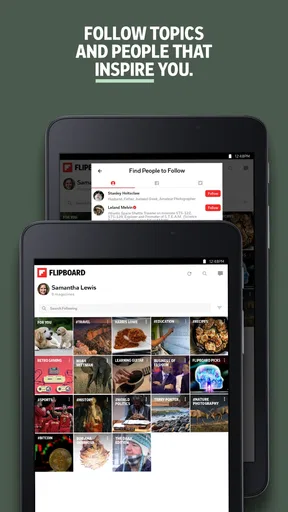
- Customizable topics and interests.
- Seamless integration with social media.
- Offline reading mode available.
- High-quality content from diverse sources.
Limitations of Flipboard:Your Social Magazine
- Limited customization for push notifications.
- Occasional ads can interrupt reading.
- Some features require account setup.
- Can be data-heavy for mobile users.
- May not update in real-time consistently.
Similar Picks in This Category
View All
Google News - Daily Headlines
Google LLC4.0

X
X Corp.4.8

Opera News: breaking & local
Opera4.5

Hindi News by Dainik Bhaskar
Dainik Bhaskar Group4.0

Way2News Daily News App
Way2News ( Formerly Way2SMS )4.6

SmartNews: Live News & Rewards
SmartNews, Inc.3.8
You May Also Like
View All
Frequently Asked Questions
What is Flipboard and how does it work?
Flipboard is a personalized news and social magazine app that curates content from various sources based on your interests. Users can select topics, publishers, or social media accounts to follow, and Flipboard compiles articles, videos, and images into a sleek, magazine-style format. This makes it easy to consume a wide range of content in one place.
Is Flipboard free to use, and are there any in-app purchases?
Yes, Flipboard is free to download and use on both Android and iOS devices. Most features are available without any cost. However, some content from certain publishers may require a subscription or membership, which is handled directly through those publishers, not through Flipboard itself.
Can I customize the content I see on Flipboard?
Absolutely! Flipboard allows you to tailor your feed by selecting specific topics, sources, and even social media accounts to follow. You can also mute sources or topics you’re not interested in, ensuring that your feed remains relevant and engaging to your personal tastes and interests.
Does Flipboard support offline reading?
Yes, Flipboard offers offline reading, allowing you to download content to read at your convenience without an internet connection. This feature is especially useful for users who travel frequently or have limited data access, ensuring that you can stay updated with your favorite topics anytime, anywhere.
How does Flipboard handle privacy and data security?
Flipboard takes privacy and data security seriously. The app collects data to personalize content but offers settings to control what information is shared. Flipboard's privacy policy thoroughly outlines how user data is handled, and users can manage their privacy preferences directly within the app's settings, ensuring transparency and control over personal data.
